Fidium logo
  • Residential & Small Business
  • Commercial
  • Wholesale
  • Home
  • Small Business
  • Fiber Locations
  • Support
My account
1.844.434.3486
Check your address for service availability

Enter your address slowly to select the best match. If you can’t find your address, give us a call at 1.888.495.2652

  1. Support
  2. >
  3. Phone

Changing the number of rings before answering

Get step-by-step instructions on changing the number of rings before answering


Login to the Fidium Insider Portal.


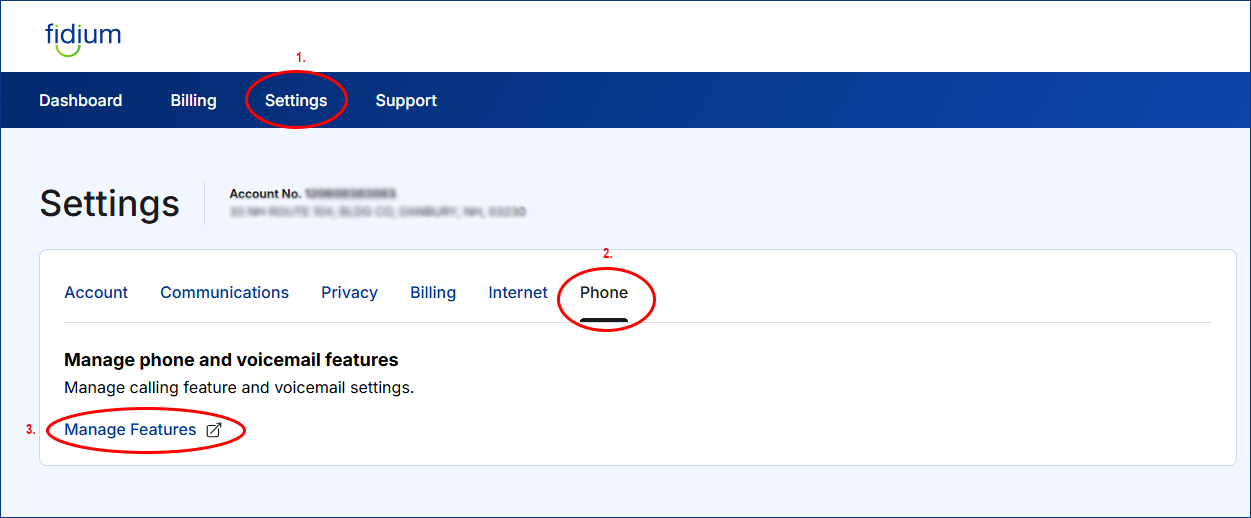
  • Step 1: From the Fidium.net dashboard, click the "GEARS" button on the left.
  • Step 2: Choose "PHONE".
  • Step 3: Then, click "MANAGE FEATURES".


3 Rings snapshot steps 1-3


  • Step 4: From the Phone Management Dashboard, Choose "USER" from the left navigation
  • Step 5: Select the phone number from the list for which you'd like to change the number of rings.


3 Rings snapshot steps 4-5

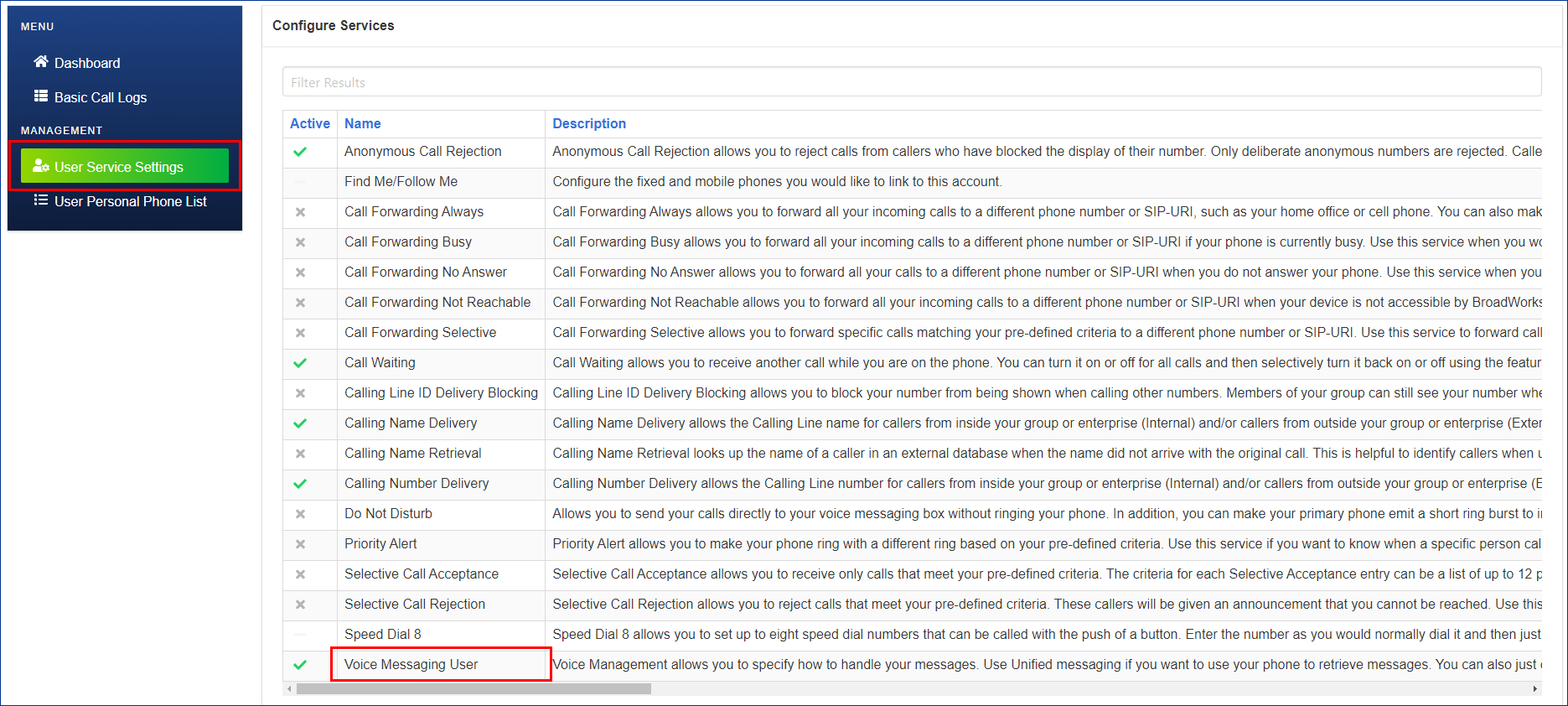
  • Step 6: Select, "USER SERVICE SETTINGS" from the left navigation.


3 Rings snapshot steps 6


  • Step 7: Select, "VOICE MESSAGING USER" from list.


3 Rings snapshot steps 7


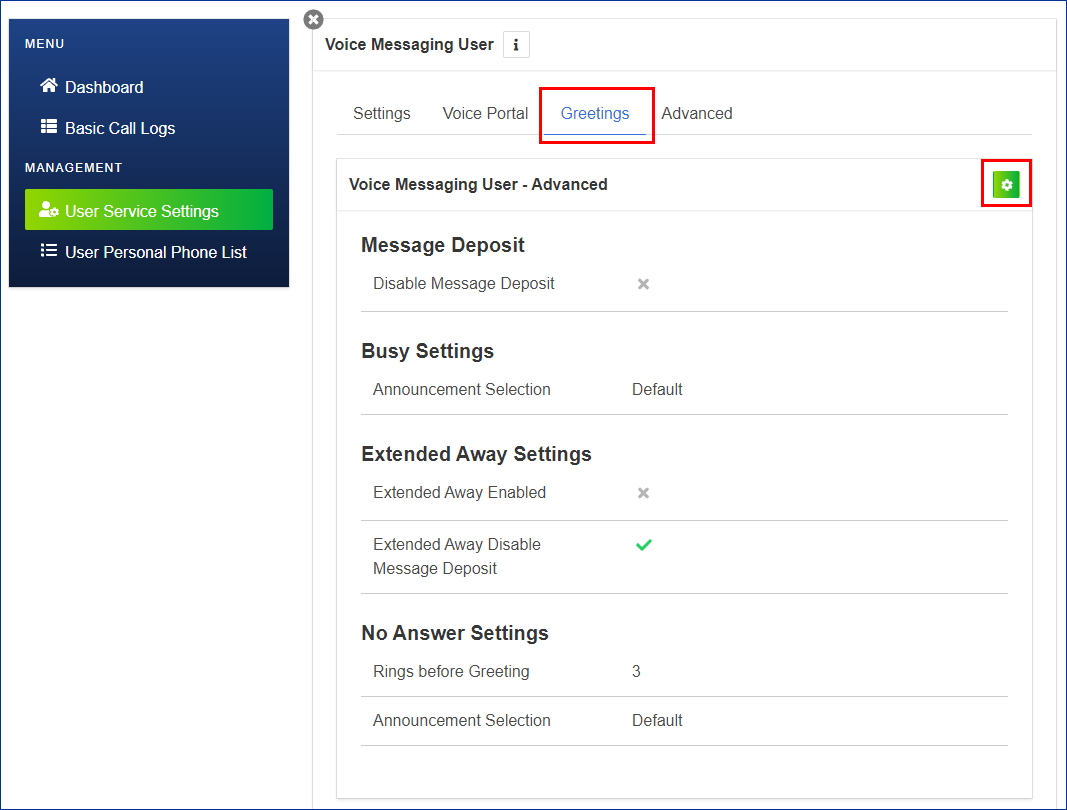
  • Step 8: Select, "GREETINGS"
  • Step 9: Then click the "GEARS" icon to edit the number of Rings before Greeting.


3 Rings snapshot steps 8-9


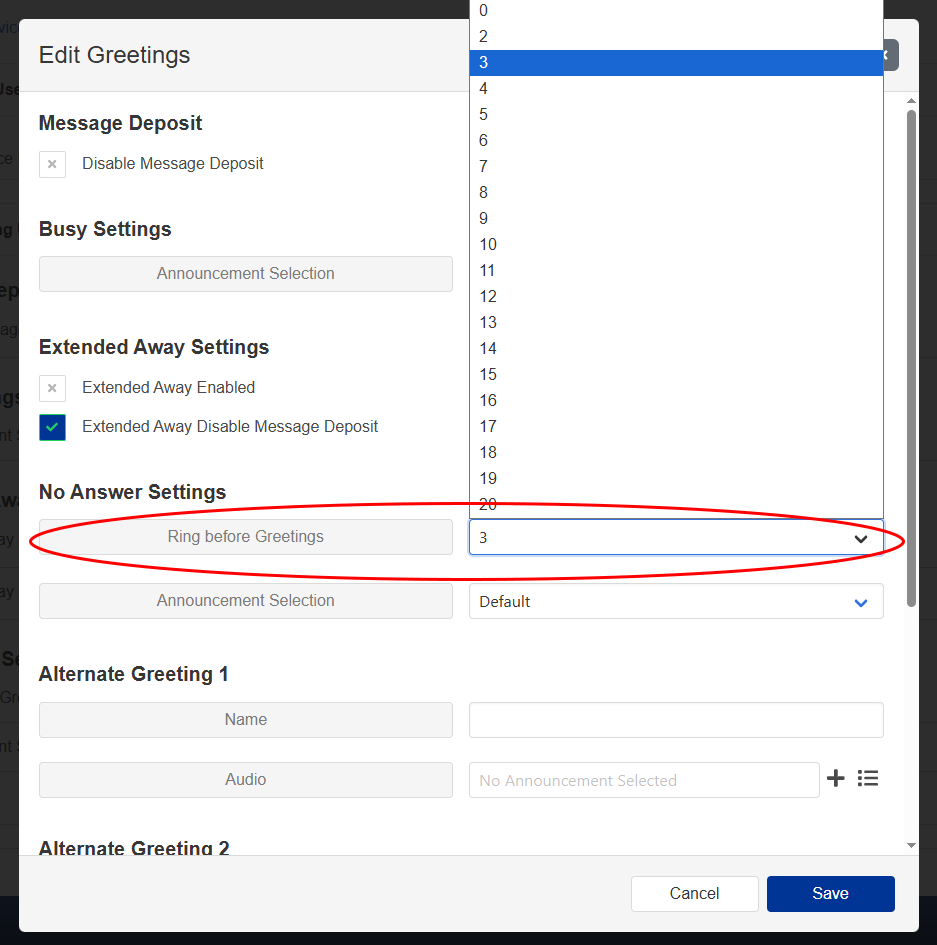
  • Step 10: Make your selection of how many ring you prefer, then hit "SAVE" button.


3 Rings snapshot steps 10


About FidiumCommunityCareersContactBlog and NewsSitemap
Change language to SpanishEspañol
Follow us on FacebookFollow us on InstagramFollow us on YouTube

Terms, conditions, charges and restrictions apply. Speed and uninterrupted service not guaranteed. Not all services available in all areas. Services and pricing subject to change. Taxes and governmental surcharges vary and are not included. Privacy Policy, Do Not Sell or Share My Personal Information, Notice at Collection, Broadband Consumer Labels and other Terms & Policies.

© 2025 Fidium