
Reset voicemail password
Get step-by-step instructions on changing your voicemail password
Change voicemail passcode (password) from your phone
- Step 1: Access your voicemail box
- Step 2: Press * to skip the main menu
- Step 3: Press 9 to change your passcode (password)
- Step 4: Enter new passcode + #
- Step 5: Enter new passcode + # to confirm password
NOTE: Passcode criteria is minimum of 6 numbers and you cannot use your current passcode. You will be required to change your passcode every 180 days.
Change voicemail passcode (password) in the Fidium Insider Portal
Login to the Fidium Insider Portal.
- Step 1: From the dashboard of the portal, click Settings from the top navigation menu
- Step 2: Click the tab across the top that says Phone
- Step 3: Select the blue Manage Features link
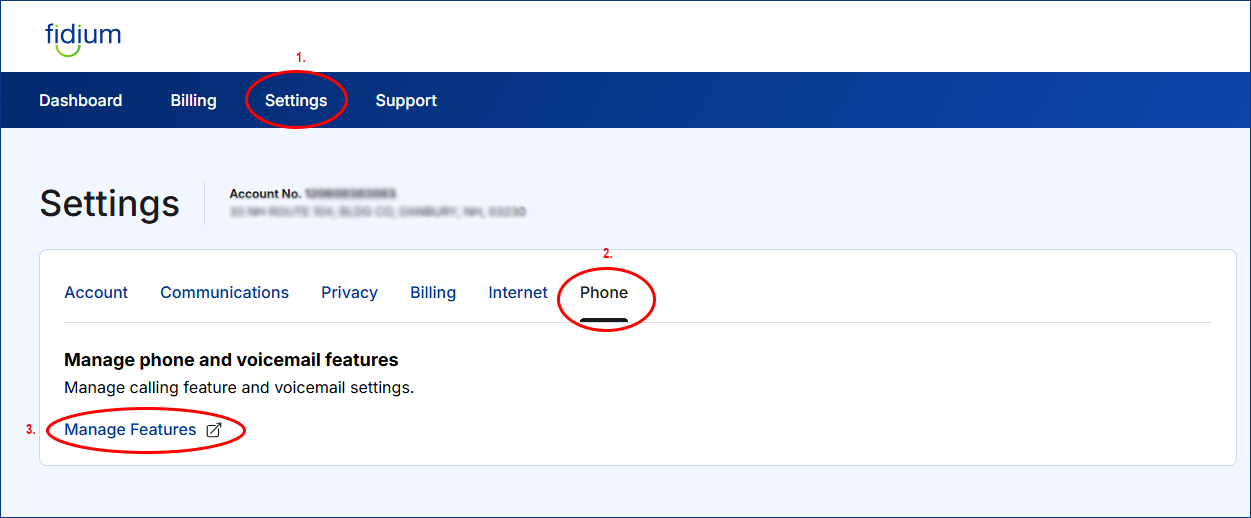
This will launch the Fidium Phone & Voicemail Manager portal.
- After the phone manager portal launches, select Users from the left-hand navigation menu
- Click on the user you want to manage under “User Id” column

- Select the User Service Settings from the left-hand navigation menu to manage all calling features
- Then select Voice Messaging User from the list
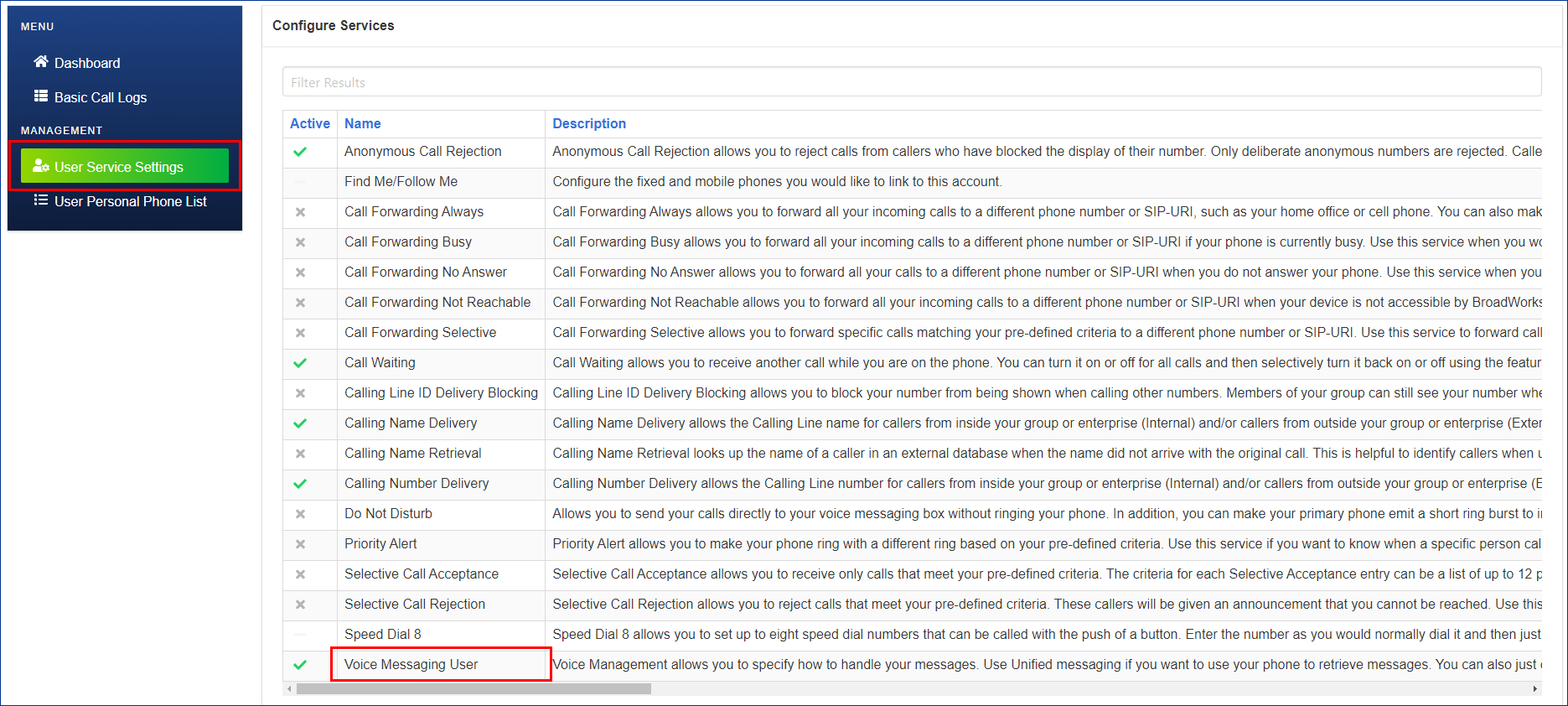
- Select Voice Portal tab from top navigation
- Then click the green gears icon to change Portal Passcode
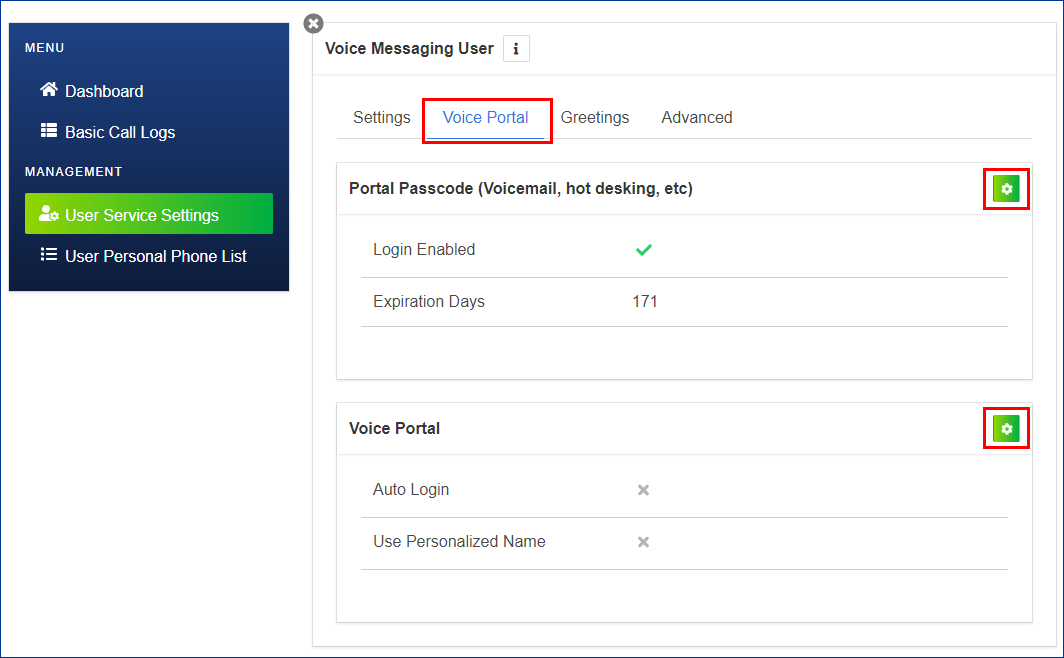
- In the Edit Portal Passcode pop-up window, enter a new password
- Re-enter the new password in the Repeat Passcode field
- Click the blue Save button
