
Understanding your bill
Here's help deciphering your statement
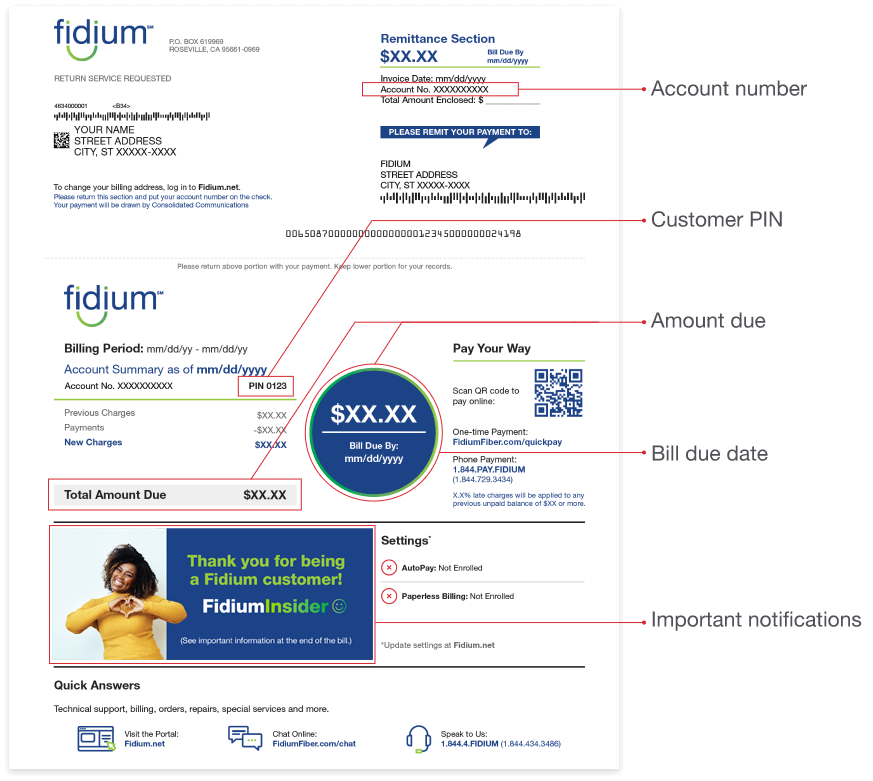
There are a lot of numbers on your bill. Here is the guide to make sense of them all.
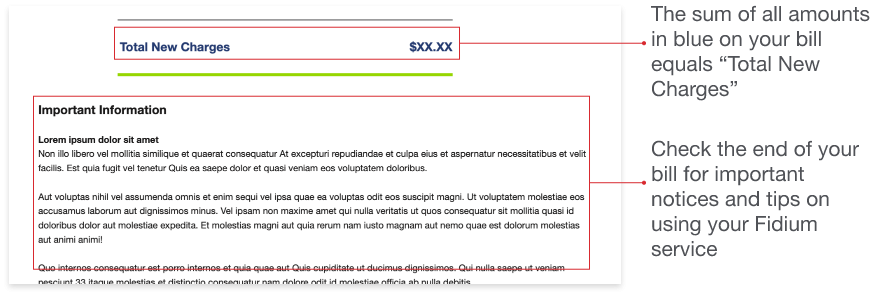
Your first bill may be higher than usual
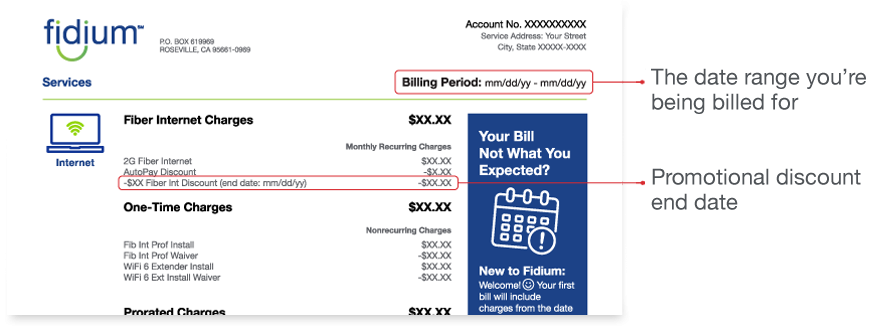
There are a few reasons your first bill may be higher. You can read more at "Your First Bill."
Taxes, fees and one-time charges
You may see some of these on your bill:
- One-time charges: These are nonrecurring charges, (e.g., extra installation fees).
- Prorated charges: Depending on your service activation date, you may have to pay a partial month's charges on your first bill. You only pay for what you use!
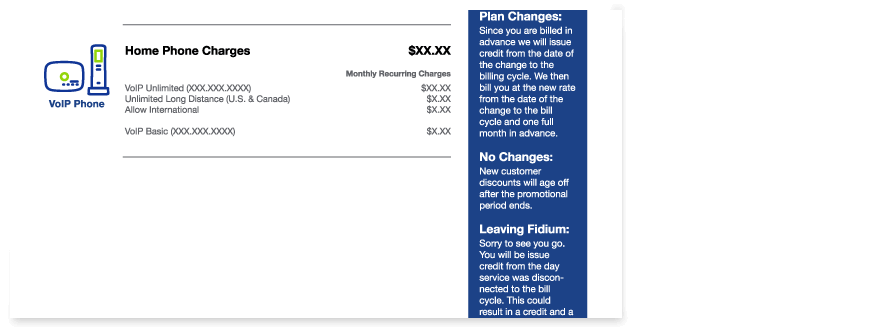
- Home phone and international long-distance charges: These apply to VoIP phone subscribers only.
- Late payment fees: These may be charged when your bill amount due has not been paid by the final due date for your invoice.
- Reconnect fees: These may be charged if your service was temporarily disconnected for nonpayment and then had to be reactivated once the bill amount due was paid in full.
- Non-Fidium taxes and fees: Although Fidium doesn't charge additional fees on our services, we do have to collect required taxes and regulatory fees. These are authorized by federal, state or local governments so they vary by location and are driven by your service choices. You can review these taxes and regulatory fees here.
Other things that could affect your bill
If you made changes to your internet or phone plan within the past month, you'll see a credit on your bill for the previous service, covering the period between the date of the change and the start of the next billing cycle. You'll also see a new charge for the updated service, covering the same period, plus one full month of charges for that updated service billed in advance.
Your new customer discount will no longer apply to your bill after your initial promotion period has ended. You can view your bill statement to see your promotion end date.
If you have asked to cancel Fidium service, you'll be responsible for all monthly charges, taxes, fees and surcharges billed through the last day of your billing cycle. Activation or set-up fees paid at the initiation of your Service, if any, are not refundable, except during the 30-day Money-Back Guarantee period.
How to make a payment
You have several options:
- Make a one-time payment at FidiumFiber.com/quickpay
- Call 1.844.PAY.FIDIUM (1.844.729.3434)
- Scan the QR code on your bill to pay online quickly
- Set up AutoPay and save on your internet service every month
To change your billing address
Log in to your Fidium Insider Portal to change your billing address.